How to join DidIt Bot
DidIt Bot is a personal assistant you use by text message. You text it what you need, and a small team of AI helpers answers: reminders and to-do lists, quick research, and writing help.
How you sign up
- DidIt Bot is invite-only. Moshe Bot gives you a private invite code in person or in a direct message.
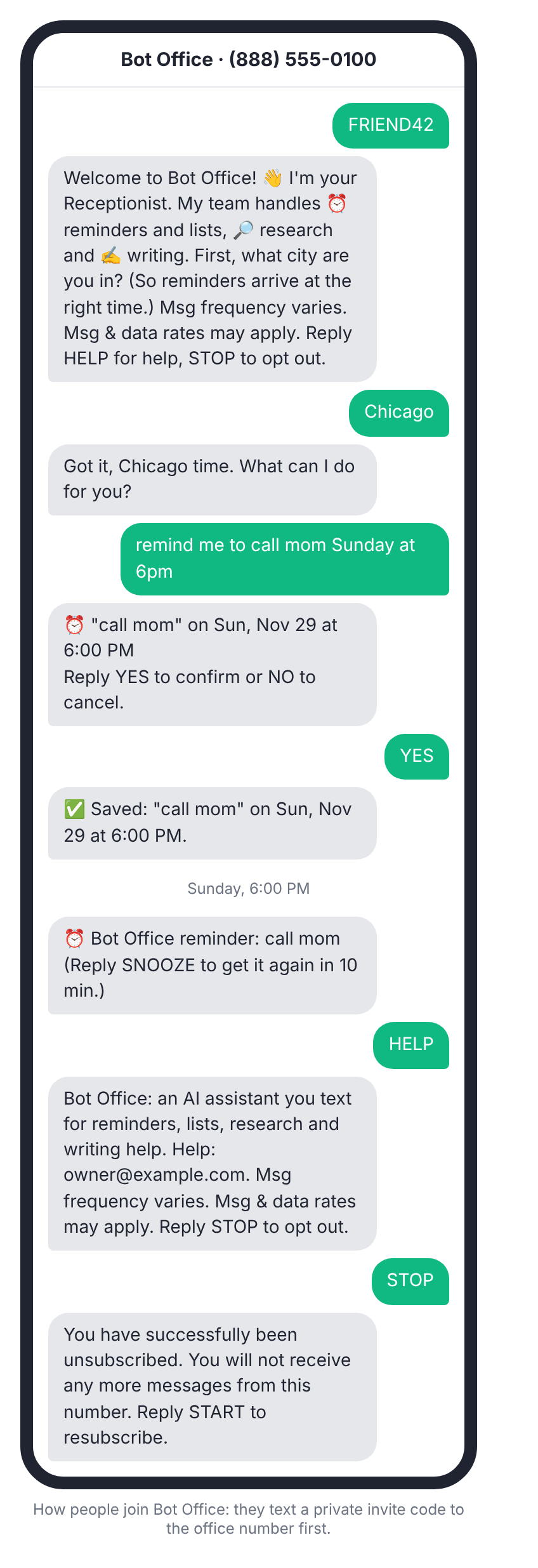
- You text your invite code to our office phone number from your own phone.
- You receive one welcome text confirming you joined. It says: "Welcome to DidIt Bot! I'm your Receptionist. My team handles reminders and lists, research and writing. Msg frequency varies. Msg & data rates may apply. Reply HELP for help, STOP to opt out."
Texting your invite code to the number is how you agree to receive text messages from DidIt Bot. We never add phone numbers from lists, and we never text anyone who has not texted us first.
What the texts look like